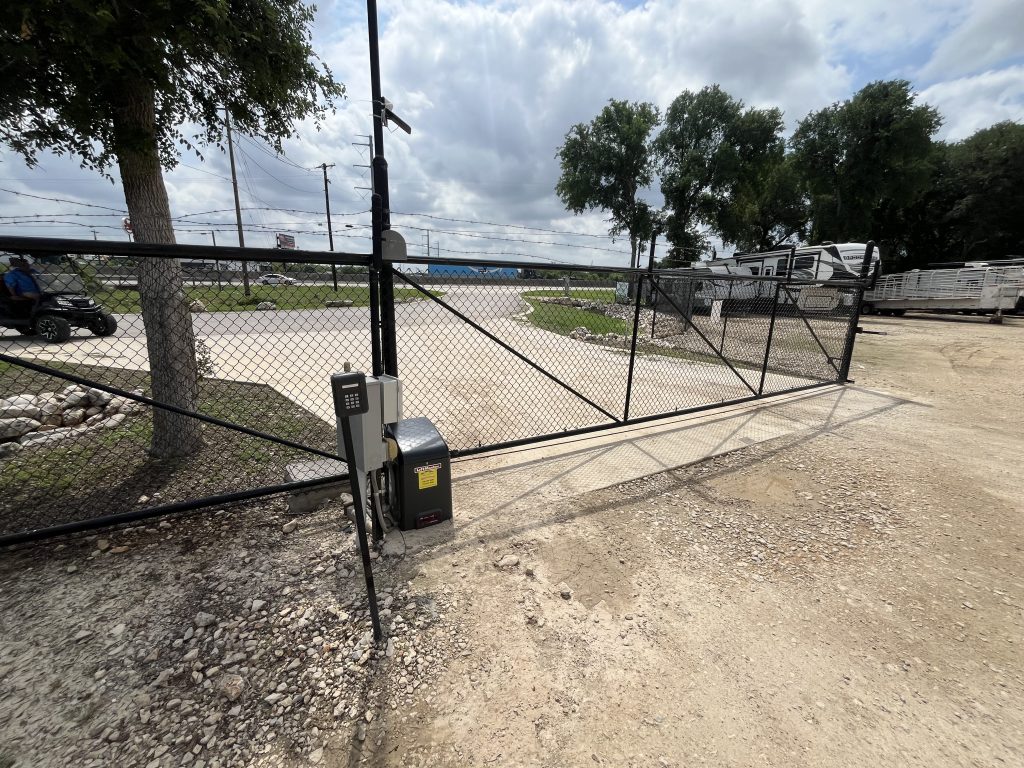
Direct Answer: A commercial sliding security gate reverses or stops before closing due to triggered safety entrapment sensors, excess mechanical drag on roller assemblies, incorrect travel limits, or sagging gate framing. Automated gate operators interpret physical resistance or misaligned photo-eyes as an obstruction, initiating a mandatory safety reversal cycle to prevent equipment damage or severe crush injuries.
Safety Warning: Commercial automated sliding gates weigh hundreds to thousands of pounds and operate under high-torque electric drive systems. Never attempt to adjust structural support rollers, counterbalance hardware, high-voltage operator circuitry, or drive chains under tension. Improper handling can cause catastrophic gate derailment or crushing hazards; always consult an IDEA-certified gate technician.
Understanding Commercial Slide Gate Reversal Mechanisms
Modern commercial gate operators, such as LiftMaster industrial slide systems, comply with stringent UL 325 safety standards. These mandates require two independent safety entrapment prevention systems: primary sensing (inherent motor force current detection) and secondary sensing (external retro-reflective photo-eyes, optical edges, or ground safety loops). When any resistance threshold is crossed or an optical beam breaks, the operator immediately stops and reverses motion to safeguard vehicles and pedestrians.
Primary Causes of Unwanted Gate Reversals
1. Entrapment Sensor and Photo-Eye Misalignment
The leading cause of mid-travel reversal is optical sensor disturbance. Industrial security gates are exposed to outdoor elements where wind, thermal ground shifts, and vehicle vibration can knock photo-eye brackets out of true alignment. Dust, spider webs, splashing mud, or direct low-angle sunlight hitting the receiving lens (sun phantom effect) can break the beam momentarily, triggering an immediate reversal cycle.
2. Roller Binding and Track Friction
Whether utilizing internal cantilever rollers or ground-track V-groove wheels, slide gates require free mechanical travel. Grit, crushed gravel, accumulated road debris, or worn sealed bearings add friction. When mechanical drag exceeds the operator’s programmed force sensitivity limits, the internal board registers a false strike and aborts the closing sequence.
3. Drive Chain Slack and Sprocket Wear
Chain-driven commercial operators rely on correct chain deflection. Over extended duty cycles, drive chains stretch and sag. A loose chain can slap against fence framework, snag on guide brackets, or bunch at the drive sprocket. This momentary spike in motor amperage triggers the operator’s internal current-sensing limit.
4. Structural Gate Frame Sag
Wider cantilever gates rely on precision truss cables and balanced tail counterweights. If horizontal bracing sags, the gate drops out of level as it extends across the driveway. When entering the guide catch post or receiver bracket, the gate strikes metal edges prematurely, prompting a mechanical stall.
Causes vs. Solutions Overview
| Symptom / Cause | Operational Impact | Professional Solution |
|---|---|---|
| Misaligned optical safety beam | Gate reverses instantly at a specific physical point | Realign optical axis, clean lenses, or install hooded sun shields. |
| Worn cantilever rollers | Squeaking, shuddering, and motor stall midway | Inspect bearings, level roller cages, and replace worn assemblies. |
| Sagging drive chain | Chain chatter, sprocket jumping, force-trip reversal | Adjust take-up eye bolts to manufacturer-specified deflection tolerances. |
| Faulty vehicle safety ground loop | Gate refuses to close or bounces off full-close limit | Test loop detector frequency, check lead-in wire integrity, and seal cuts. |
Safe Troubleshooting Checklist for Facilities Staff
- Inspect Optical Eyes: Wipe away dirt, cobwebs, and moisture from transmitter and reflector lenses.
- Clear the Ground Path: Remove gravel, rocks, weeds, and trash caught along the travel line and catch posts.
- Review Operator Error Codes: Modern commercial control boards feature diagnostic LEDs displaying flash codes indicating whether a safety edge, loop, or travel limit caused the trip.
- Verify Keypad and Access Controls: Ensure dry-contact inputs from keypads or transponder antennas are not short-circuiting and issuing continuous reopen commands.
If clear obstructions are absent and sensor lenses are clean, the issue lies in internal motor limits, mechanical binding, or damaged cantilever rollers. Contact a licensed commercial gate automation specialist to recalibrate limits and balance structural components safely.